AI ID photo generator
JobWards can turn a selfie into a formal ID-style photo — plain even backdrop, squared to camera, business collar — in about a minute, free for new members. Use it for work badges, staff directories, student cards and resume photos in markets where a photo is customary. Do not use it for a passport, visa or driver's licence: those require an unaltered photograph, and AI-generated images are not acceptable.
⚠️ Not for passports, visas or licences
Identity-document authorities require a genuine, unaltered photograph of the applicant and generally prohibit digitally altered or synthetic images. An AI-generated face is not a photograph of you — even when it looks like you — so submitting one risks rejection of your application and, in some jurisdictions, being treated as a false submission. Use an approved photo booth or photographer for those documents. We'd rather lose the traffic than have someone get their visa refused.
✅ Need a passport or visa photo? Use your real photo
Our free Passport & ID Photo tool takes your real photograph, removes the background, and crops it to the exact size your document needs — official pixel dimensions and backdrop colour. It never alters or generates your face, so it's suitable for passports, visas and ID cards.
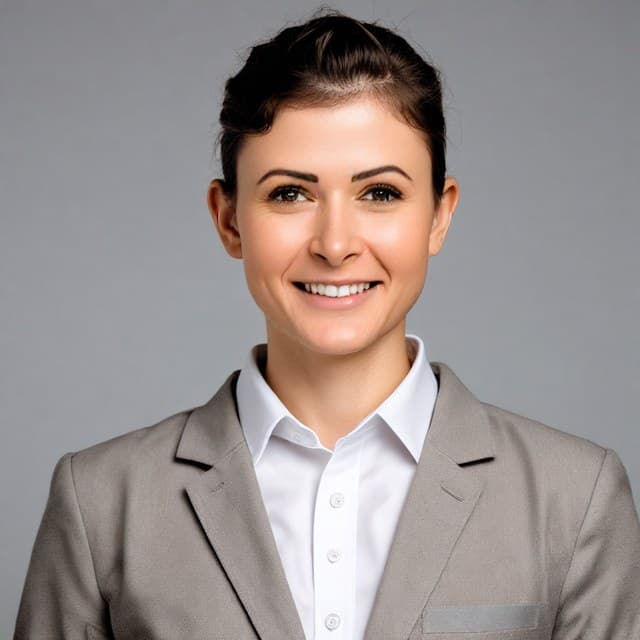
Plain backdrop, front-facing, closed mouth, business collar — generated from an ordinary selfie.
Make mine free →What it's good for
How to get a clean result
- 1. Match the expression you want in your reference photos. The model preserves your expression — for a formal ID look, upload selfies with your mouth closed and a relaxed face. A smiling reference produces a smiling result.
- 2. Face the camera squarely in your reference shots, at eye level.
- 3. Use flat, even light. Face a window; avoid strong side shadows.
- 4. Upload four photos for the best likeness.
- 5. Crop afterwards to whatever your organisation specifies — 35×45mm and 2×2 inch are the usual formats.
Common ID photo sizes
| Format | Size | Typical use |
|---|---|---|
| 1 inch (一寸) | 25 × 35 mm | Chinese resumes, forms, member cards |
| 2 inch (二寸) | 35 × 49 mm | Chinese official forms, certificates |
| 35 × 45 mm | 35 × 45 mm | Common in Europe and the UK |
| 2 × 2 inch | 51 × 51 mm | US-style square ID format |
Sizes are for general reference — always follow the exact spec your organisation or authority publishes.
Questions
Can I use an AI ID photo for a passport or visa?
No. Passport, visa and driver's licence authorities require an unaltered photograph of you, and generally prohibit digitally altered or AI-generated images. Submitting one can cause rejection and, depending on the jurisdiction, be treated as a false submission. For those documents, use a real photo taken by a person or an approved booth.
What is an AI ID photo good for, then?
Everything that isn't a government identity document: work badges and staff directories, company intranets and Slack, student or club cards, conference profiles, and resume photos in markets where they're customary (much of Europe and Asia).
How do I get a neutral expression?
Upload a reference selfie with the expression you want. The model preserves your expression from the photos you give it, so a smiling selfie tends to produce a smiling result even with an ID-photo prompt. For a formal look, upload photos with your mouth closed and a relaxed face.
Is the background pure white?
It renders a plain, even, light backdrop — usually light grey to off-white rather than pure #FFFFFF. That's fine for badges, directories and resume photos. If you need an exact background colour to spec, edit the background afterwards or use a photo service.
What size will I get?
Square, high resolution. Crop it to whatever your organisation asks for — 35×45mm and 2×2 inch are the most common ID formats.
Is it free?
New members get one free generation pack, which includes the ID photo style. No credit card required.
Make your ID photo free
Included in the free pack for new members, along with LinkedIn, corporate and casual styles.
Start free →